Web app · AI · Family project
The pantry that knows itself
An app that sees what's in my home from a single photo, warns me what's about to expire, and works out how long my family could last if the shops close.
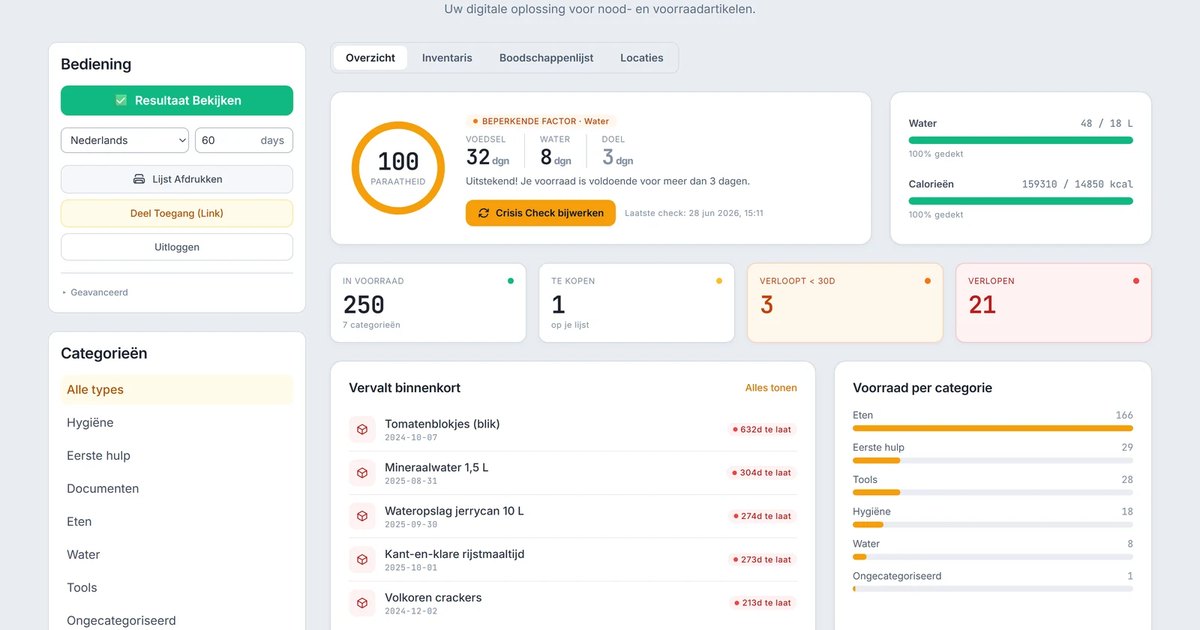
An app that sees what's in my home from a single photo, warns me what's about to expire, and works out how long my family could last if the shops close.
You buy an emergency kit once and then forget about it. Cans expire, water runs out, and nobody remembers what's tucked away at the back of the cupboard.
So I built an app that keeps track of my household stock. It warns me before anything has to be thrown out and gives an honest answer to the question you'd rather not ask: if things go wrong, how long would I last with my family?
It started with an emergency kit. You put it together, you feel prepared, and a year later you have no idea what's still good. Expiry dates tick by, you buy double what you already own, and the overview you once had has evaporated.
A list on paper or in a notes app didn't solve it: that's already outdated the day you make it. I wanted something that keeps itself up to date and warns me in time. And that shows how long we could last on it when it really matters.
What you can't keep track of, you buy twice or throw out past its date.
The biggest hurdle in inventory management is the data entry. Typing everything in by hand is something nobody keeps up. So I removed that hurdle: you photograph a product's label, or a whole shelf at once, and the AI reads out what it is. Name, quantity and expiry date, from one or two photos. It even recognises jars without a label.
Under the hood, artificial intelligence does the heavy lifting of recognising and estimating. But I deliberately don't let it do the maths. How many days you can last is decided in fixed, verifiable code, not by an AI that might give a slightly different answer each time.
The AI is allowed to estimate. The maths is left to the calculator.
That way you get exactly the same result on your phone and your laptop, and advice about your safety never depends on the mood of a language model.
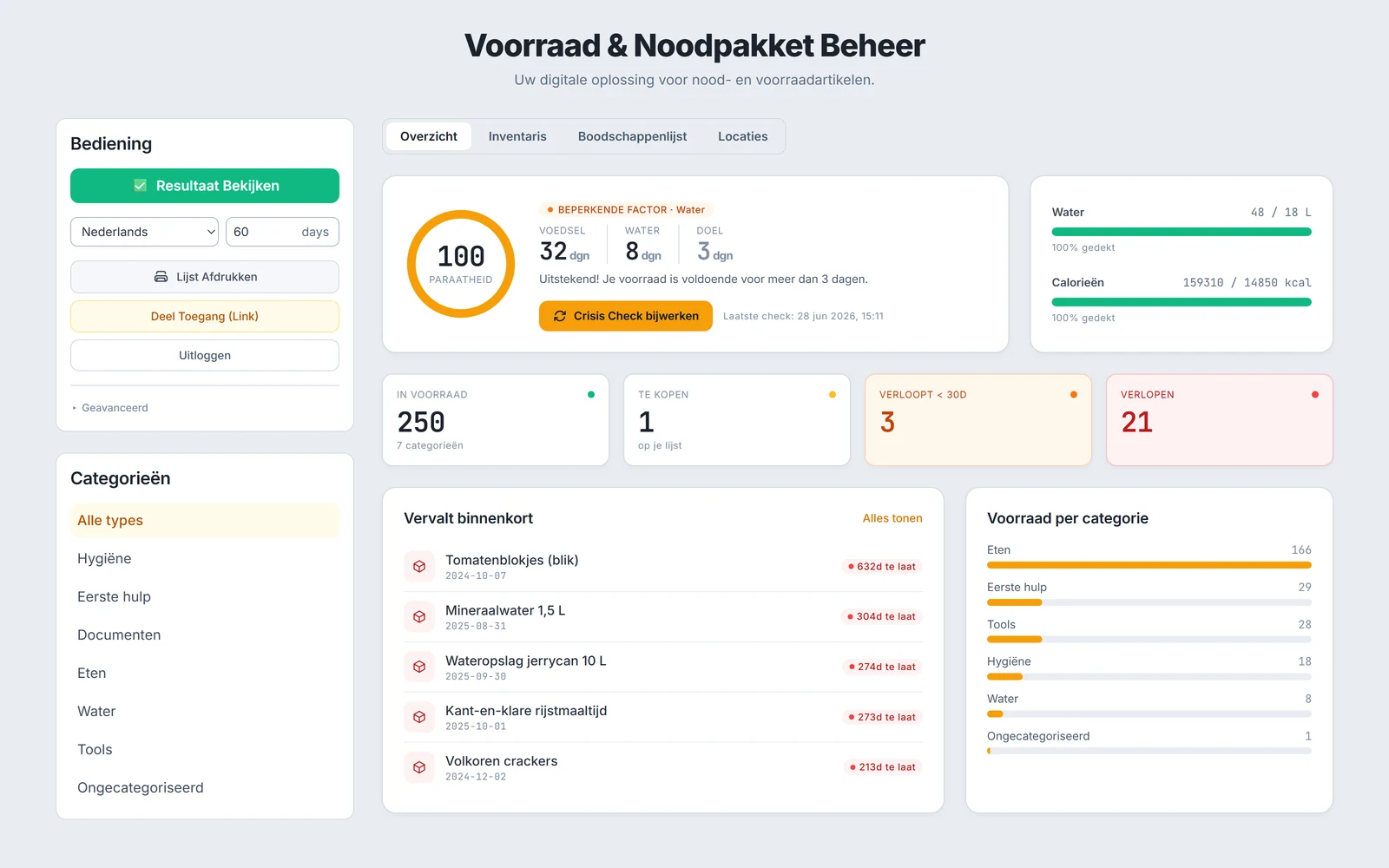
The app on mobile: your stock by location in the house, expiry dates in colour, and quick adding through the camera.
The app runs and I use it at home. This is what it solves.
The strongest part is the crisis check. It tells you where the weak spot is, for example: "enough food for ten days, but water for only two." A paper list won't show you that.
What didn't work first time says more than the polished side. Over a year of updates, by far most of the work went into repairs to the same two things. The camera on the phone, and an AI that was a little too eager.
The common thread: AI is good at recognising and estimating. When it comes to a calculation or a decision you need to rely on, a human or fixed code belongs at the wheel.
You don't need to be a programmer to start. Paste the prompt below into a strong AI model (Claude, ChatGPT or Gemini) and let it give you a tailored approach, including what you'd be better off not building.
I want to build an app that keeps track of my household stock and emergency kit. The goal: to see at a glance what I have at home, be warned in time before anything expires, and get an honest answer to how long my family would last in a crisis (based on the official 72-hour standard).

Interview me first: ask up to ten questions about how I currently track my stock, which device I use most (phone or laptop), how many people are in my family, and how much technical experience I have.

Then give me concrete advice:
1. The building blocks I need: a database, a fast way to enter items, and where AI should and should not be involved.
2. Why data entry is the biggest hurdle and how to lower it. A tip from experience: photographing a label or a whole shelf works better than scanning barcodes.
3. One important design rule: let AI estimate and recognise, but keep every calculation that a recommendation rests on in fixed, verifiable code, so the same input always gives the same answer.
4. The pitfalls. Be honest about what often goes wrong on mobile (the camera) and what I'd be better off not building in my situation.

Be critical and practical. No hype, no lists of tools without a reason.
The emergency check follows the 72-hour standard as recommended by the Dutch government; the expiry advice leans on the "best before" and "use by" guidelines of the Dutch Nutrition Centre. The tools and concepts behind this project are described with source and context on my central source list.
→ Dutch government - assembling an emergency kit (72-hour standard)
→ Nutrition Centre - the difference between "best before" and "use by"
The image at the top of this page is AI-generated, in the same visual language as the other project pages.
Same way of working, different applications.